 STEAM
STEAM PC
PC Italy(Italiano)
 United States(English)
 United Kingdom(English)
 Germany(Deutsch)
 France(Français)
 Spain(Español)
 Czech(česká republika)
 Poland(Polski)
 Japan(日本語)
 Korea(한국어)
 Taiwan(繁體中文)
 Portugal(Português)
 Brazil(Português)
 Australia(English)
 Canada(English)
 Hungary(Hungarian)

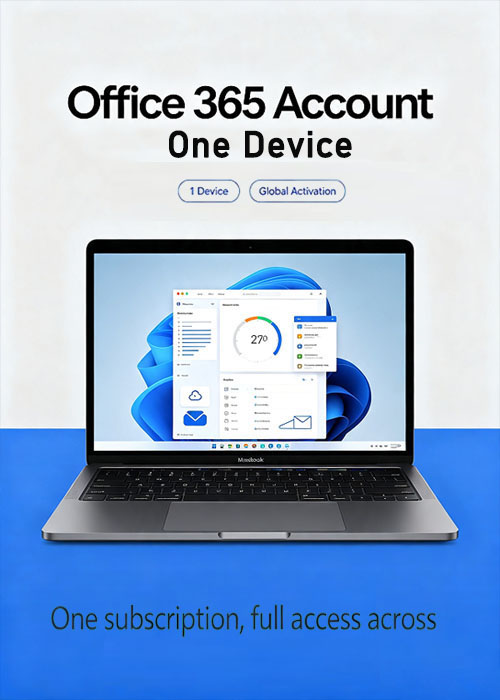
MS Office 365 Account Global 1 Device
99.00EUR
25.97EUR -74%













Personalizza i pacchetti




Note:This is Account, Not code. Set your Off Account by clicking here If you buy this product, you will get a ms account which has off 365 activated in it.
MS Off 365 Account for 1 Device
Get the latest MS Off software now!
After paymentYou will be sent the login details of the Off 365 Account with Email, you will receive details for your subscription to your Off 365 account with simple instructions on how to download, install and register/activate your copy of MS Off software.
Product Description
Off 365 gives you access to the latest available MS Off suite of applications. Off 365 allows you to FREE upgrade whenever MS releases a newer version of Off in the future.
With this, you can get all your favourite MS Off applications including Word, Excel, Powerpoint, Access,Outlook, Publisher and MUCH MORE!!!
Product Features:
l Multi language support
l Word, Excel, Powerpoint, Access, Outlook, Publisher, Skype for business
l One-year subscription to a single user and a singledevice.
Please Note:
This is a NEW account, there is no CD/DVD, physical copy, license key orserial code!If you get any questions or concerns, please send us a message before buying.
FAQ
Q. How does it work?
A. You will get an account email & account password, and then you will need to log in here with this account email
and password (PS: you can only change account password ,can not change it to your account name or email)
Q: Are these licenses legitimate?
A: Yes, the licenses are legitimate and authentic. The license is a business license which forms part of an academic license.
Q: Can I seek MS customer care help if needed in the future?
A: Yes, you can get support directly from MS.
Q. What operating system does it support?
A. Licenses work on both x86 (32bit) and x64 (64bit) versions of Win (7 or later) and also Mac (OS 10.10 or later).
Q. Can I use this with Android and iPhones or iPads?
A. Yes, download the relevant apps from the app store and login in with the account to activate on your device.
Q. I have an older version of Off already installed on my device, What should I do?
A. We recommend removing this before installing any applications from the new account
- Quanto tempo ci vuole per ricevere la chiave dopo l'acquisto? Dove trovarla?
- La chiave verrà consegnata automaticamente in 3-5 minuti. Puoi trovarla nella sezione "I miei ordini acquistati".
- Cosa fare se la chiave non si attiva?
- Ci sono diversi motivi per cui l'attivazione può fallire. Il problema più comune è l'incompatibilità tra il sistema e la chiave acquistata. Verifica prima se la versione del tuo sistema (es. Windows Pro) soddisfa i requisiti. Se il problema persiste, contatta il nostro servizio clienti 24/7 e ti aiuteremo a sostituire la chiave rapidamente.
- Come richiedere un rimborso o uno scambio?
- Per richiedere un rimborso o uno scambio, contatta il nostro servizio clienti 24/7 e fornisci questi dati: • Numero d'ordine • Screenshot pertinenti (messaggio di errore di attivazione, dettagli acquisto ecc.) Gestiremo la tua richiesta il prima possibile.
- Quanto tempo occorre per ricevere il rimborso?
- I rimborsi per pagamenti PayPal vengono elaborati istantaneamente. Per pagamenti con carta o bonifico bancario, i fondi arrivano solitamente in 7-10 giorni lavorativi, in base alle tempistiche della banca e alle normative locali. Contatta il nostro supporto in qualsiasi momento per verificare lo stato del rimborso.
- Informazioni su resi e scambi
- Attiva la tua licenza entro 180 giorni dall'acquisto. Se si verificano problemi in questo periodo, puoi richiedere la sostituzione gratuita della chiave.